Warnings Prior to Deadline
- If you work on your application for 10 minutes without saving, you will see a prompt to save your work:

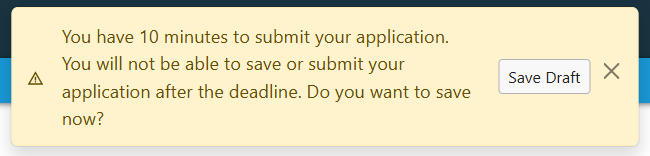
- As the submission deadline approaches, the system will prompt you to save your work with yellow messages.
- You will be prompted at 30, 20, 10 (shown below), and 2 minutes before the deadline.
- Make sure to click the Submit button in the lower right corner prior to the deadline.
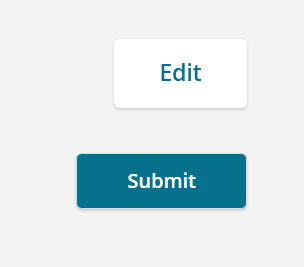
- Note: You may be asked to click Preview to check your work before the Submit button will appear.

Trying to Submit after the Deadline
- Once time expires, you will not be able to save or submit.
- You will see a message on screen to contact the Administrator of the process with any questions.
![Modal: Submission deadline has passed. The deadline to submit your application has passed. You may no longer save changes or submit your application. The deadline was Monday, April 20, 2026 at 1:00pm. You may contact the administrator at [email address] with any questions or concerns.](https://s3.amazonaws.com/cdn.freshdesk.com/data/helpdesk/attachments/production/14175711812/original/EBMRbscbJu4rNfOH59wiBhd_Fbn2DNBmeA.png?1776704454)
Exact Submission Time with Seconds
- The time for submission deadlines in InfoReady is displayed in hours and minutes. The timestamp on the back end of the system also records the seconds. This information can be important for applicant submissions occurring at the deadline because some individuals may interpret the deadline being at either the start or end of the minute.
- Application deadlines in InfoReady are enforced as soon as the deadline is reached. For example, 5:00 PM ET is recognized as 5:00:00 PM ET in the system. A submission at 5:00:01 PM ET (5pm with 1 second) will not be accepted by the system. Keep in mind that some individuals may interpret 5:00 PM ET to mean 5:00:59 PM ET, which is NOT how the system is set up.
- If the deadline has passed and you still need to submit application materials, contact the administrator listed on the Details page of the opportunity.
Have more questions about this topic? Go to the Community Forum to pose the question to other users or submit a support ticket to InfoReady.