When creating an opportunity, administrators have 3 choices for the Learn More section:
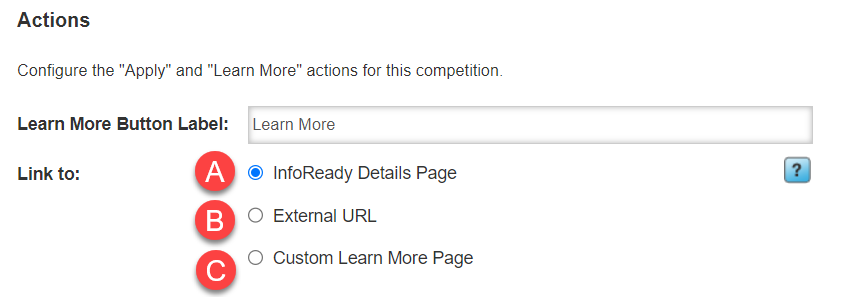
A. InfoReady Details Page
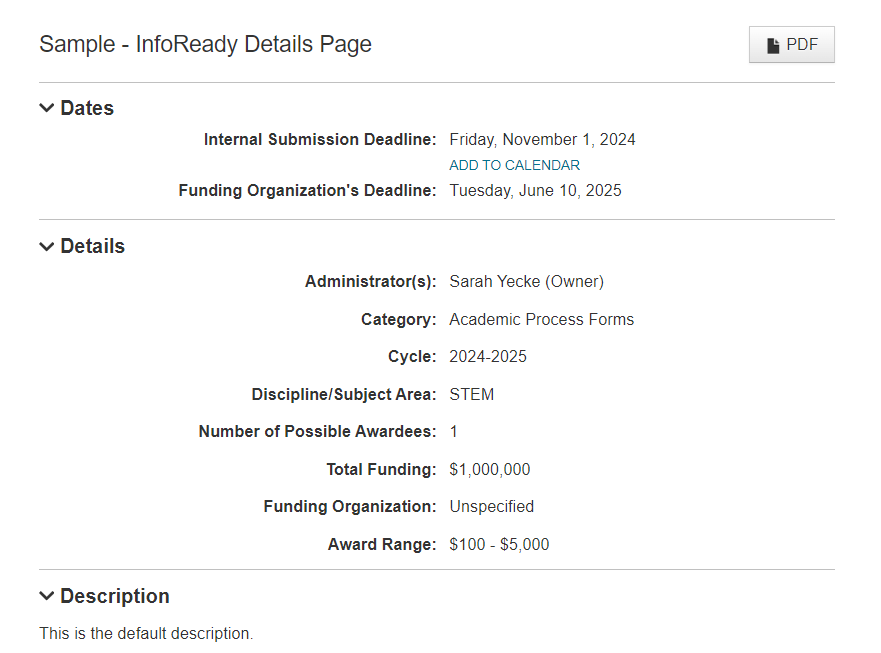
- This option will send users to the standard InfoReady Details page.
- Any item configured to display to applicants will show, such as Title, Category, Cycle, Dates, etc. (See image below).
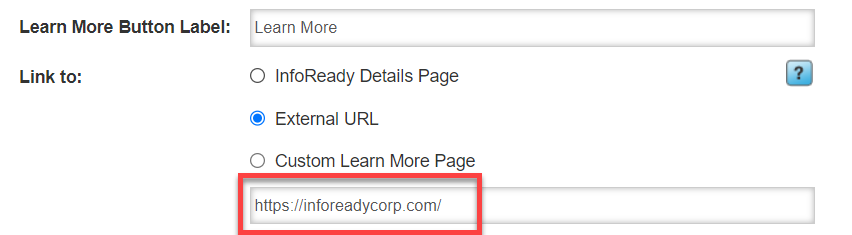
B. External URL
- Admins can link out to another webpage.
- Simply enter or copy and paste the full URL into the InfoReady field.
- URLs can have a maximum of 255 characters.
C. Custom Learn More Page (Add-On)
- Work with InfoReady to build a custom page for your needs.
- The information displays only to logged in users (by default) but can be made public.
Note: This option is not enabled by default and is considered an add-on feature. Contact your Account Manager to learn more.Have more questions about this topic? Go to the Community Forum to pose the question to other users or submit a support ticket to InfoReady.