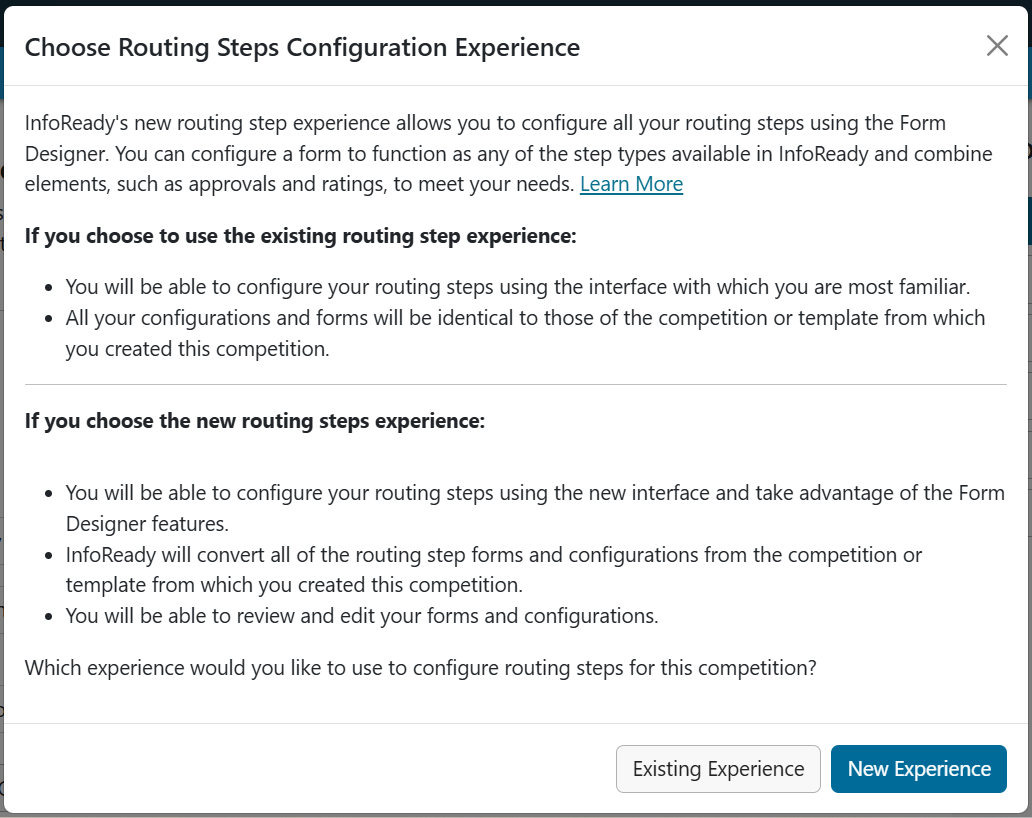
In the transition from using the legacy to new routing steps experience, the system may prompt you to convert your existing steps as shown in the modals below.
Note: If you choose the new experience, the platform will migrate your legacy steps to match the original configuration.

However, you should still check each step's instructions, questions, and settings to make sure they match your intended configuration before assigning any reviewers to the steps.
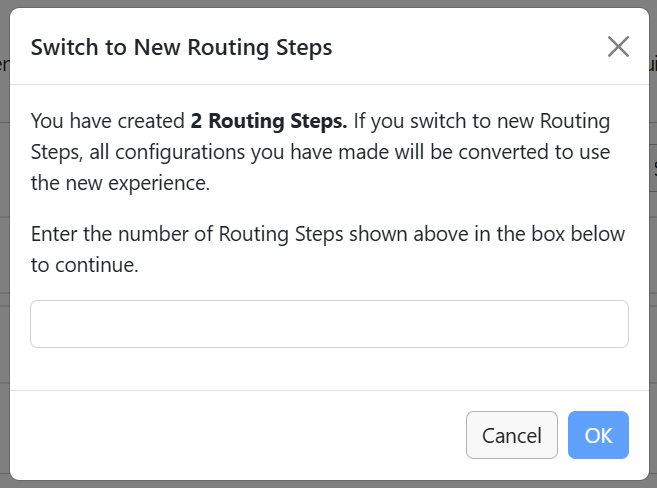
Switching Experiences
⚠️ Important: Switching back to the Legacy Routing Steps experience will remove any Routing Step configurations created in the New Routing Step Experience. It will also remove review data associated with those Routing Steps, including reviews that are in progress or have been completed.
If you have configured Routing Steps in the New Routing Step Experience or have assigned or completed reviews, do not switch back to Legacy unless you are prepared to recreate the Routing Step configuration and re-enter any affected review data if you later switch back to the New Routing Step Experience.
Have more questions about this topic? Go to the Community Forum to pose the question to other users or submit a support ticket to InfoReady.