Administrators sometimes add a supporting document to their form when they need to ask for a file upload instead. If you need a user to attach a file (e.g., CV, budget, proposal) to their submission, add a file upload.Comparison Chart
| Supporting Documents | File Uploads | |
| Purpose | To provide guidelines, information, or templates to applicants | To collect a file from an applicant (i.e., the applicant will submit their own file) |
| Location(s) | Details page and all form building pages (Requirements, Routing Steps, Progress Reports) | Form building pages only (Requirements, Routing Steps, Progress Reports) |
| Toolbar section | Design Tools (top) | Form Fields (middle) |
| Toolbar icon |  |  |
| Configuration instructions | View full instructions here. | View full instructions here. |
Default Views
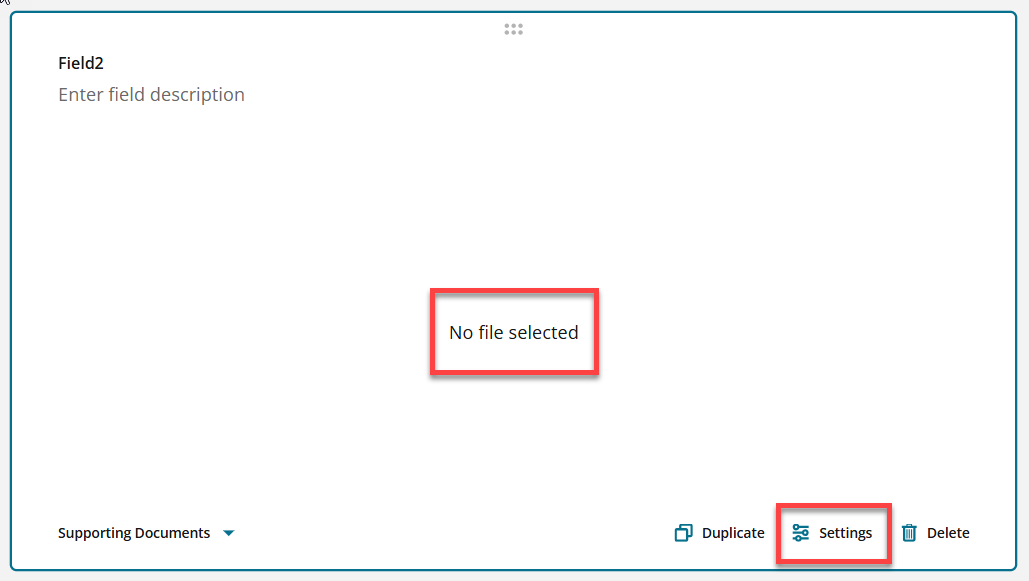
Supporting Documents
- Administrator must click Settings to select a file from their computer.
- Though the default is to display the file on the application only, it can be included in the application PDF that administrators and reviewers have access to.
- Layout: Administrators can choose to show the file to applicants as expanded or collapsed.
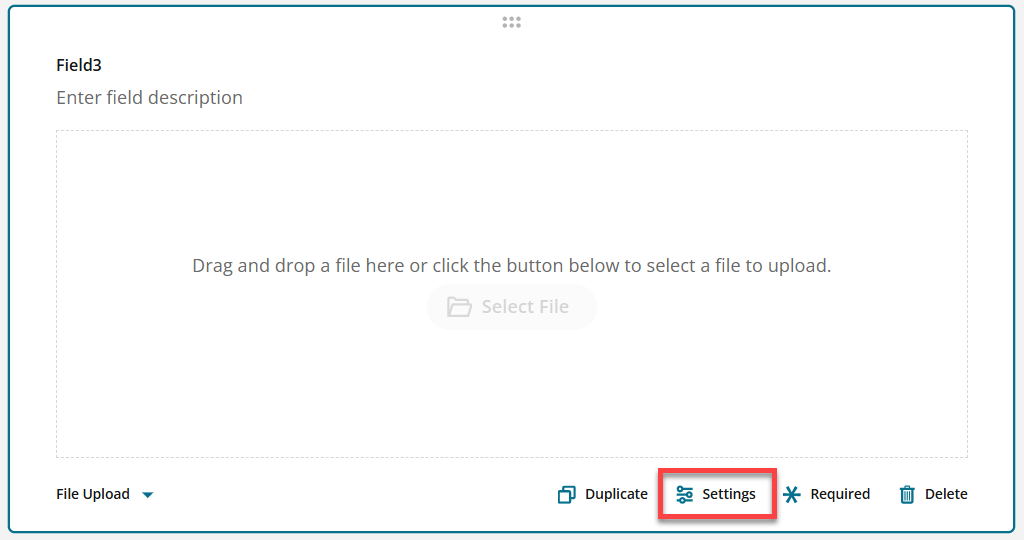
File Upload
- No additional configuration is needed.
- Administrators can click Settings to specify file extensions.
Have more questions about this topic? Go to the Community Forum to pose the question to other users or submit a support ticket to InfoReady.