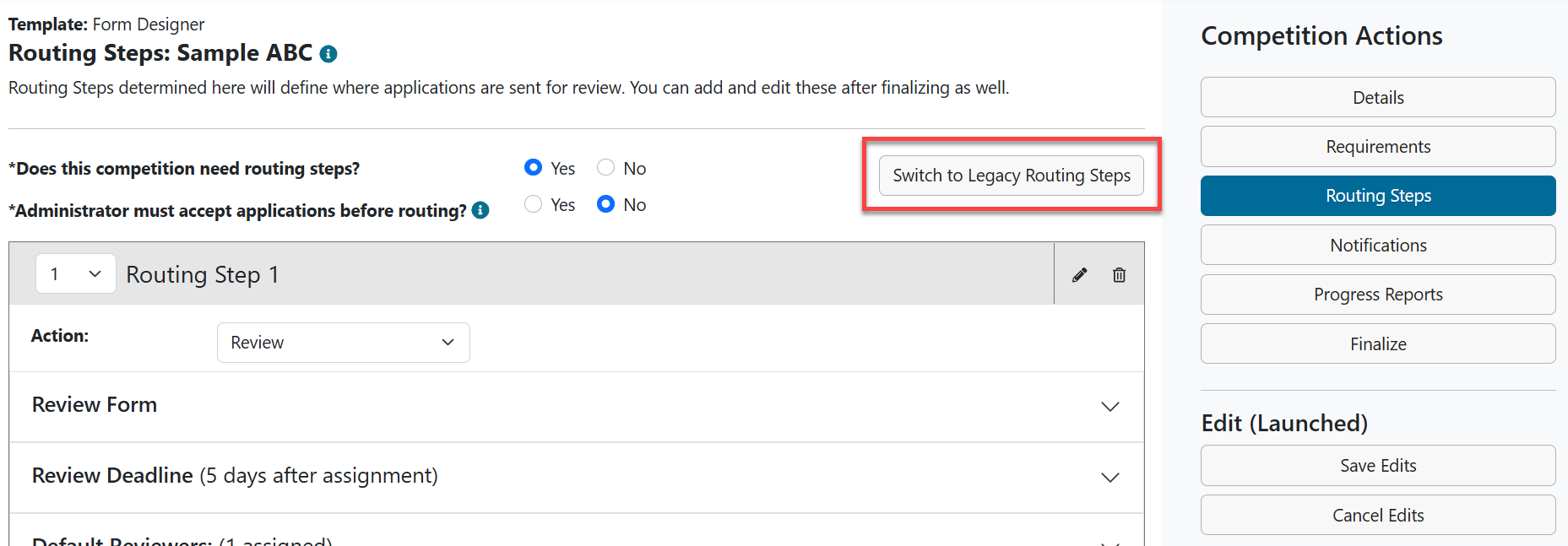
The new routing steps experience features key differences from the legacy experience:
- No "step type"- Admins choose from default Review or Return for Revisions options.
- Review - Build any review form by mixing and matching different question types
- Return for Revisions - Same functionality as legacy experience
- Copying a routing step - Start with a copy of a step you've already configured and make edits from there.
- Approval tool - Replaces the legacy Approve/Do Not Approve step type
- Rating scale questions - This field type will function the same way the "ratings" component of the legacy Comments & Ratings step did, displaying average scores in the user interface and Data Grid, as well as additional calculations in Excel reports.
- PDF packet share option - To replace (and enhance) the functionality of the legacy Committee Approval and Ranking step types, Admins can select a step option: "Allow reviewers to email assigned applications to others as PDFs."
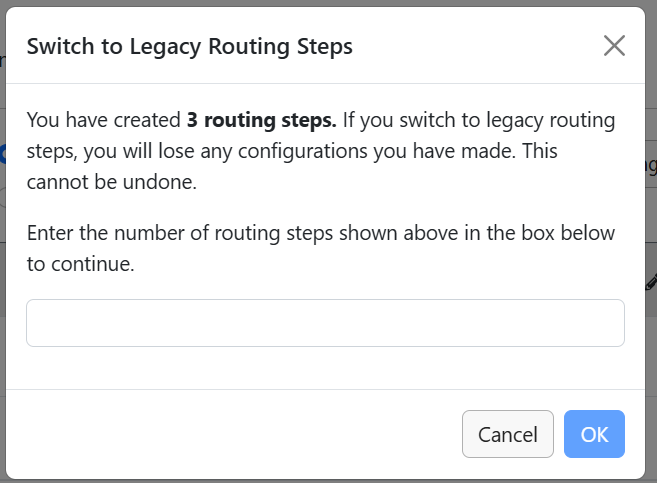
Note: Administrators can also switch to the legacy experience if they choose. A warning modal will appear if they have configured any steps to ask them to confirm the change. See screen shots below.

To see if this feature is a good fit for your process, check out: New Routing Step Experience: Tips and Best Practices
Administrator View of New Routing Steps Experience